Lysias

Legal writing for the Mac

Write the brief. Lysias does the Bluebook.

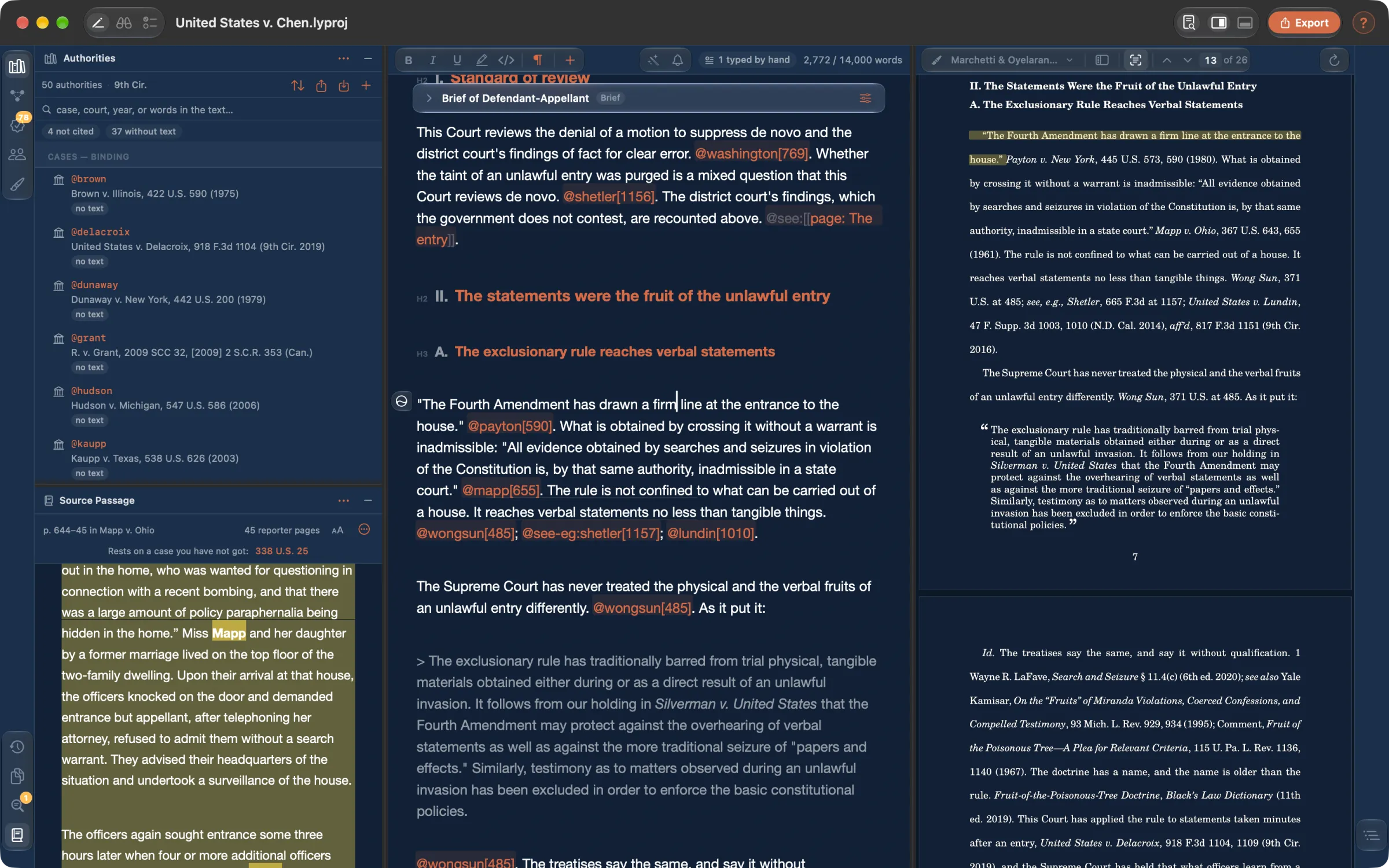
Type @coolidge[481] and the page prints Coolidge v. New Hampshire, 403 U.S. 443, 481 (1971). You write the argument; Lysias writes the citations, checks them against the opinions and the court's rules, and typesets the result for filing.

Free with a 14-day trialOne-time unlock, no subscriptionmacOS 14 or later

The Lysias window: a brief's authorities on the left, the draft with its citations in the middle, and the typeset page on the right.
  • 6 millioncitations from forty-one reporters, checked on your Mac
  • Two manualsBluebook or ALWD, and the forty states whose courts cite their own way
  • 50 statesplus D.C., the territories, thirteen circuits and eleven federal districts
  • No accountno cloud, no analytics — your files stay on your disk

Made-up citations

Is there a case at that citation?

Six million citations from forty-one reporters ship with the app. Every case your brief cites is checked against them: whether a decision exists at that citation, and whether it is the one you named.

  • “No case found at this citation”
  • “This citation is Kyllo v. United States”
  • Checked offline, with a report you can keep
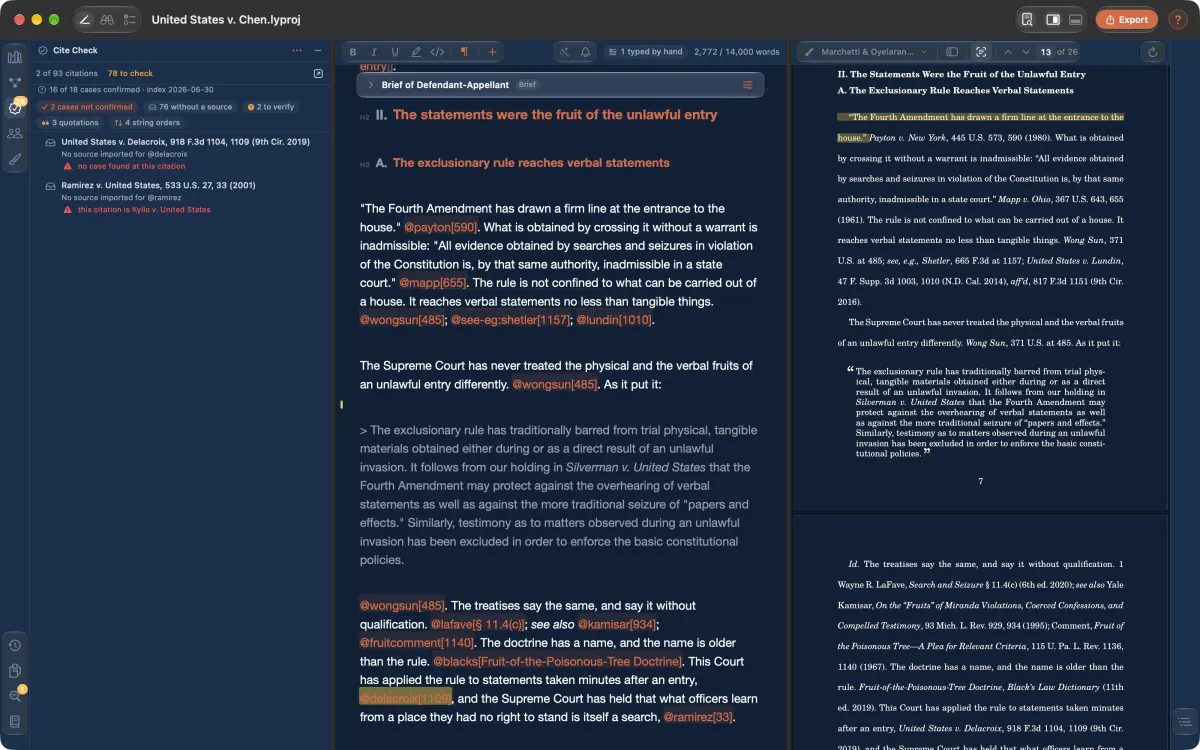
The Cite Check pane flagging one citation where no case exists and another that points to a different case.

Cite check

Every pincite, checked against its page.

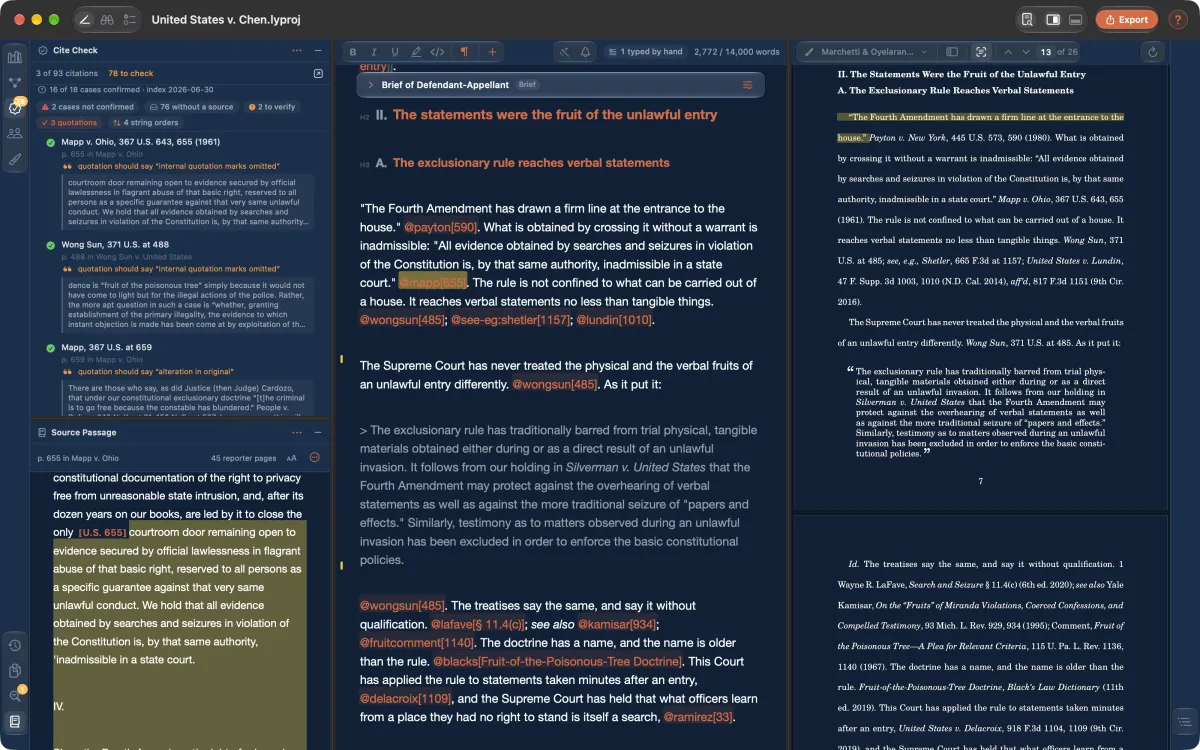
Each citation opens to its page in the source, with the quoted passage shown beneath it. A quotation that drifted from the original is flagged, and so is one that owes the reader a parenthetical.

With a free CourtListener account, it also finds later opinions that say “overruled” beside a case you cite.

Cite check listing each quotation with the passage from the opinion, and the source page open below.

Quote finder

Finish the sentence. Press \

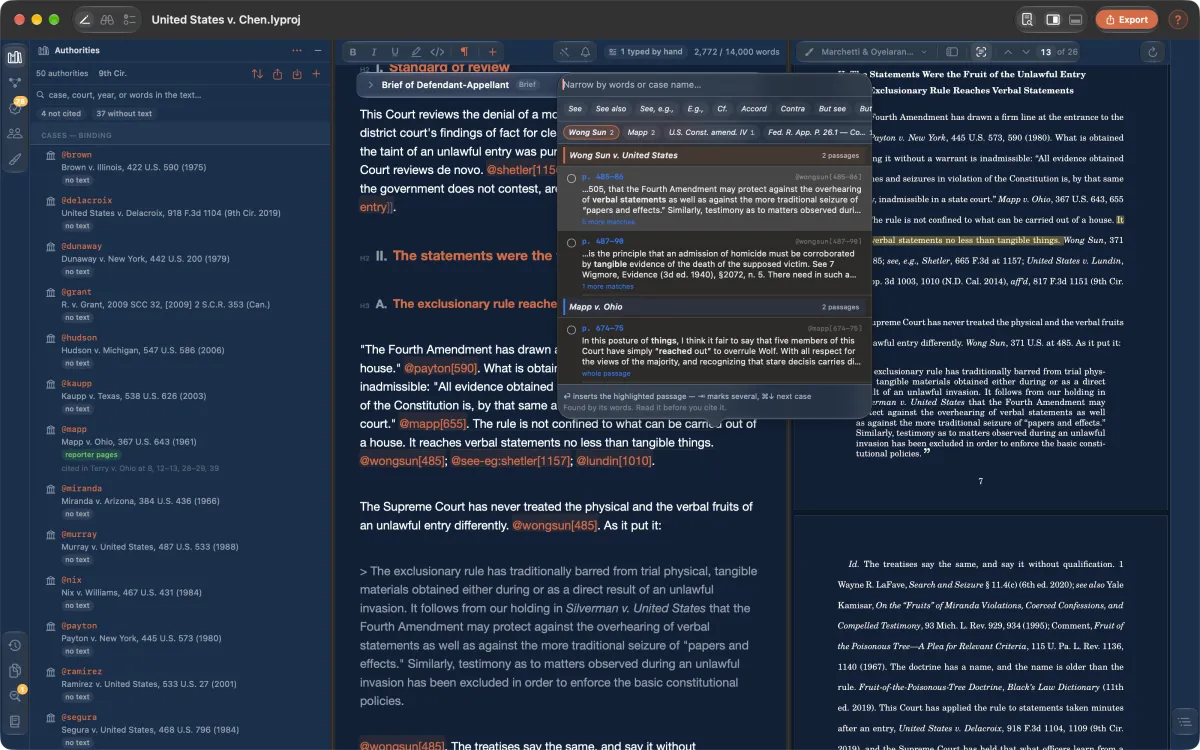
Lysias asks every opinion in your library which passage supports the sentence you just wrote, finds the page, and writes the pincite. Its own algorithm, not an AI model — and nothing leaves your Mac.

Add a case by citation and the opinion arrives with its pagination, open beside your draft.

The quote finder offering passages from two opinions that support the sentence being written.

The court's own rules

Filed the way your court asks.

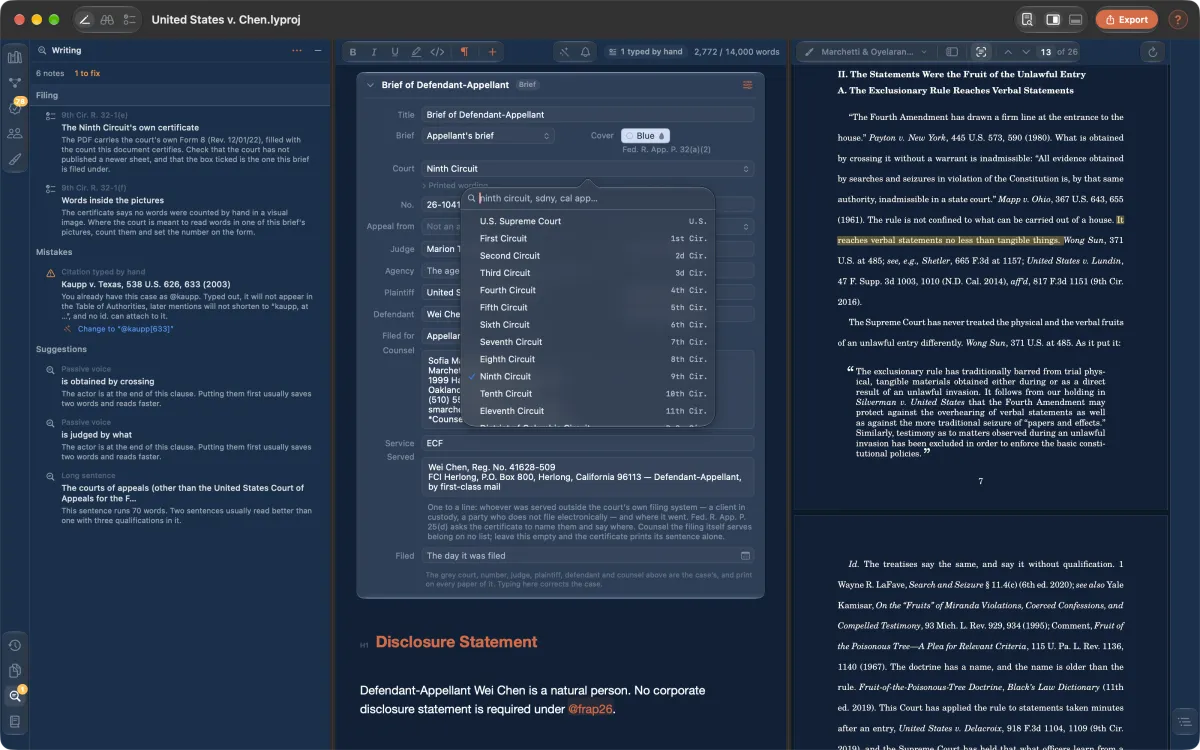
Before you file, the brief is checked against that court's rules: the required sections, the cover, the certificates, the word or page limit. Each finding names the rule it comes from.

  • Thirteen circuits and eleven federal district courts
  • Trial and appellate courts of all fifty states, D.C. and five territories
  • PDF/A-2b and tagged PDF/UA-1, or Word with real Table of Authorities fields
The brief's cover details with a court picker, and the Writing pane listing the court's filing requirements.

Word, both ways

Bring the brief you already have.

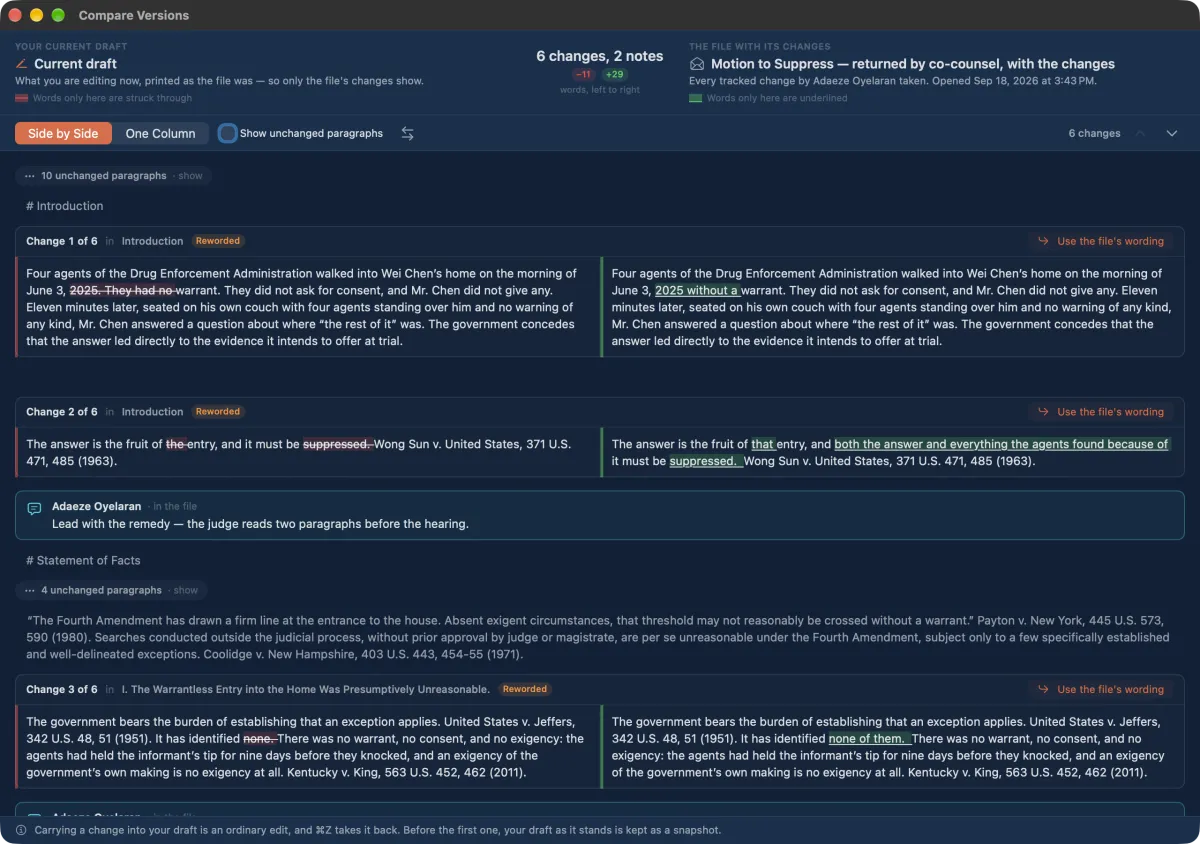
Open a .docx — a brief, a memorandum, a law review article or a contract — and Lysias reads it for what it is, offering every citation typed out in it. A draft that comes back from co-counsel is read as tracked changes and comments, taken one at a time or left alone.

Compare Versions showing co-counsel's tracked changes side by side with the current draft.

Contracts

The agreement, too.

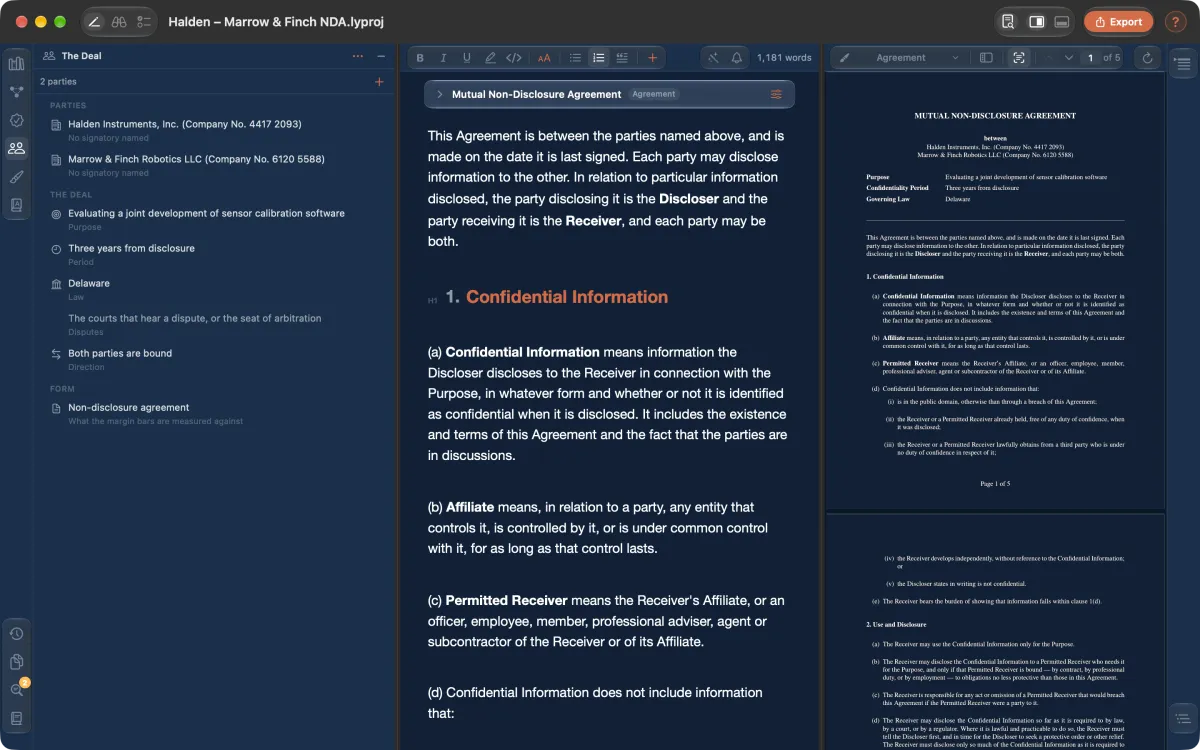
Start an agreement from a form or from your firm's own. The deal's values fill the clauses, every defined term is tracked, and the margin shows what has changed since the form. A contract somebody else sent is read against yours, subject by subject.

Export one copy per party, or a fillable copy for signature.

A mutual non-disclosure agreement with the deal's parties and terms on the left and the typeset agreement on the right.

And the rest of the work

The parts of a brief nobody bills for.

Your court's own style

Where a court writes citations its own way, so does Lysias: G. L. c. 93A, § 2 in Massachusetts, the official reports or the public-domain number where the rule requires it.

Short forms and the Table of Authorities

Full citations, short forms, Id., parentheticals, signals and the Table of Authorities are handled for you, with cross-references that renumber themselves.

Statutes and rules, fetched

The U.S. Code, C.F.R., Federal Rules, U.C.C. and the codes of thirty-nine states and D.C. arrive as text when you add a section.

The case, not just the paper

Parties, counsel and proceedings belong to the matter. One project holds the motion, memorandum, declaration and order, with one library and one caption.

Typeset for filing

The cover sets itself in the court's own wording. Justified text, true small caps, footnotes, pictures and complex tables.

Help written for lawyers

Press ? for help in plain words, or take the guided tour through a sample brief on a made-up matter.

Private by construction

Yours, on your Mac.

Your briefs, your authorities and your settings are files on your disk, and typesetting runs offline. When Lysias fetches the text of an authority, the request goes straight to a public legal-data service and carries only the citation — never your document.

Read the privacy policy — it is one page.

  • No accountNothing to sign in to.
  • No cloudProjects live wherever you save them.
  • No analyticsNo telemetry, crash reporting or tracking.
  • No AI modelNothing you write is sent to one.

Price

Try everything for fourteen days.

After the trial, your projects still open, read, typeset and export. A one-time purchase turns writing back on — nothing you wrote is ever held back.

Download
Free

Every feature for 14 days from first launch. No account, no card.

Full Unlock
$99.99once

An in-app purchase through the Mac App Store. No subscription; restore it on every Mac signed in to your Apple Account.

Requires macOS 14 or later and a Mac with Apple silicon